Testplane 9 is here!
We are releasing Testplane 9 with stronger visual testing capabilities than ever, better globals handling and various enhancements across the board.

Migrating to Testplane 9
Looking for migration guide? Head over to the full article. Below is an overview of the new features.
All-new screenshot engine powering Testplane's visual testing
The biggest change in Testplane 9 is a new screenshot engine behind assertView. It was rebuilt from ground up to handle real application layouts better: long pages, scrollable containers, sticky headers, fixed overlays, drawers, modals, pseudo-elements, shadows, outlines and various other cases that tend to make visual checks fragile.
Long screenshots and scrollable containers
assertView is now much better at capturing elements that do not fit into one viewport. It can automatically detect element to scroll, detect non-moving elements and handle elements with unstable height.
Test code
Testplane:
it("should capture a screenshot with assertView", async ({ browser }) => {
    await browser.url("file:///page.html");

    await browser.assertView("visual-engine-comparison", "[data-testid=list-container]");
});
Playwright:
test("should capture a scrollable drawer list with toHaveScreenshot", async ({ page }) => {
    await page.goto("file:///page.html");

    await expect(page.locator("[data-testid=list-container]")).toHaveScreenshot(
        "visual-engine-comparison.png",
    );
});
- Testplane v9
- Testplane v8
- Playwright
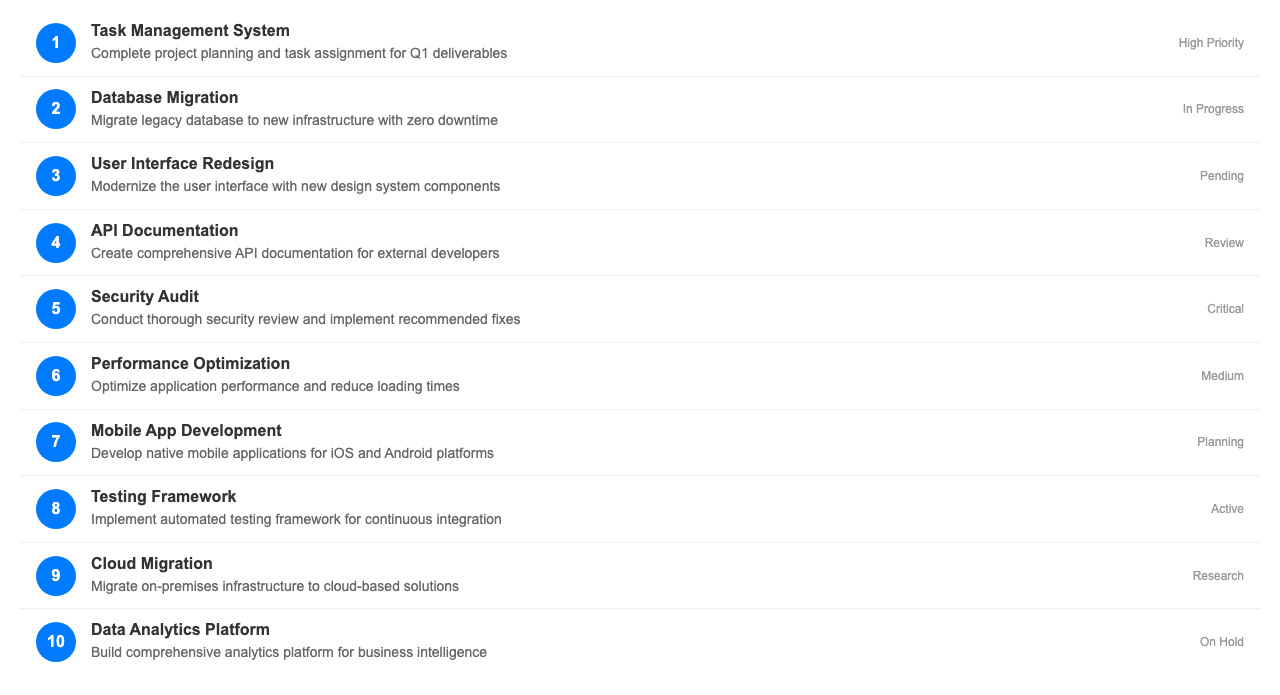
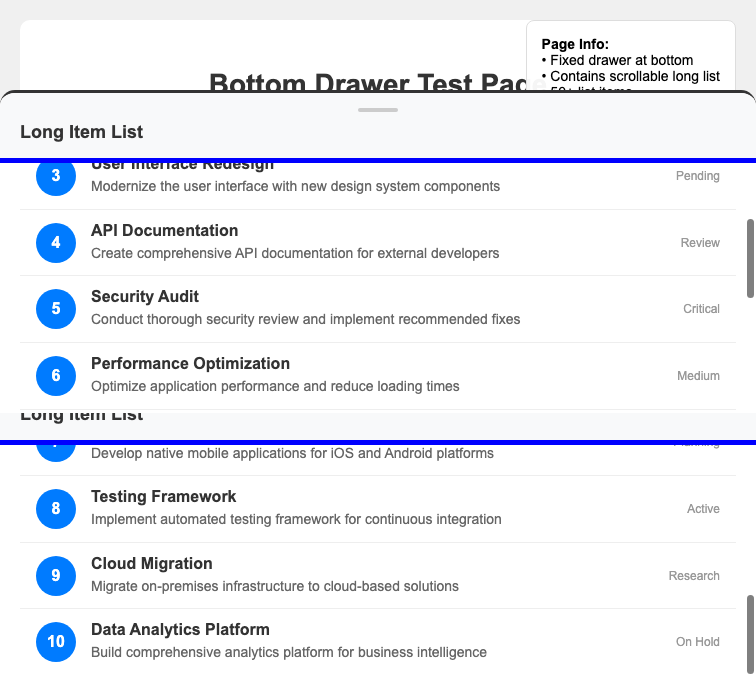
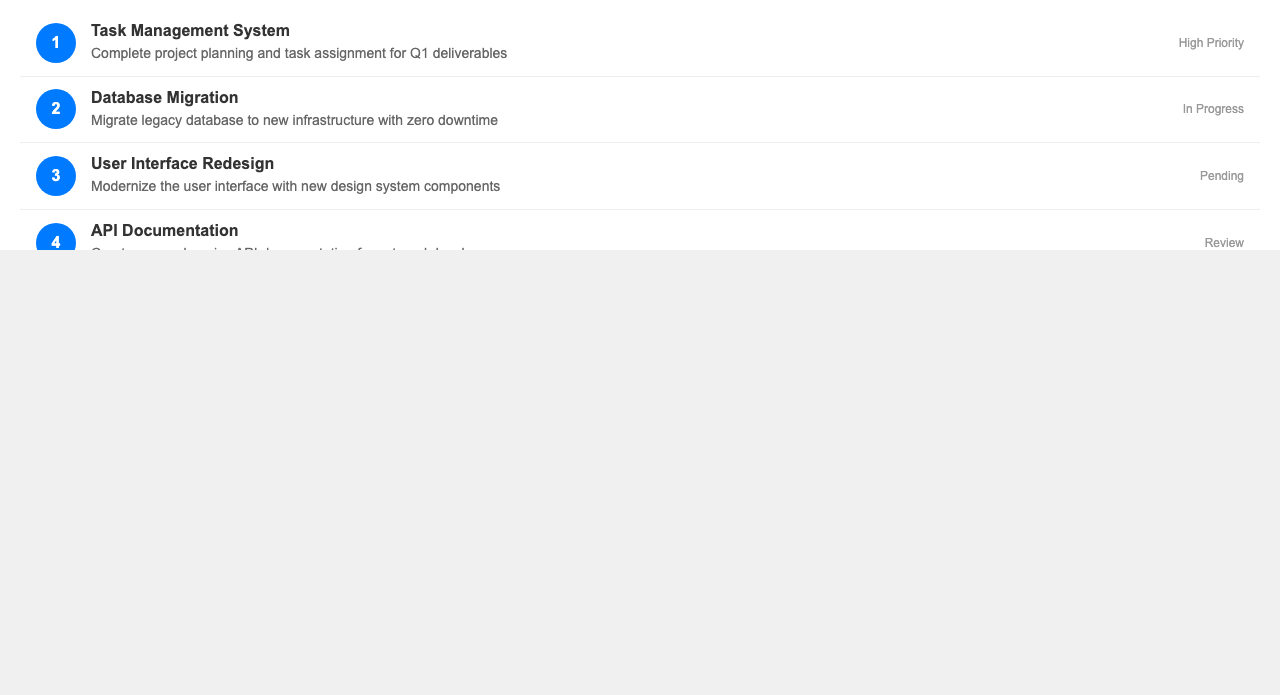
Interfering elements avoidance
In Testplane v9, assertView is now clever enough to scroll element in such a way that no interfering elements are visible in the screenshot, all done automatically.
Test code
Testplane:
it("should capture a screenshot of review item", async ({ browser }) => {
    await browser.url("file:///page.html");

    await browser.$(".Review.Review_hasReactions.ReviewViewer-Review").scrollIntoView();

    await browser.assertView(
        "visual-engine-comparison",
        ".Review.Review_hasReactions.ReviewViewer-Review",
    );
});
Playwright:
test("should capture a screenshot of review item", async ({ page }) => {
    await page.goto("file:///page.html");

    const el = await page.locator(".Review.Review_hasReactions.ReviewViewer-Review").first();

    await el.scrollIntoViewIfNeeded();

    await expect(el).toHaveScreenshot("review.png");
});
| Testplane v9 | Testplane v8 | Playwright |
|---|---|---|
 |  |  |
Sticky and fixed elements
The new engine computes a safe area before and during capture, so sticky headers, fixed footers, floating buttons and overlays won't pollute the final screenshot.
Test code
Testplane:
it("captures a card with fixed page chrome around it", async ({ browser }) => {
    await browser.url("file:///page.html");

    await browser.assertView("analytics-card", "[data-testid=analytics-card]");
});
Playwright:
test("captures a card with fixed page chrome around it", async ({ page }) => {
    await page.goto("file:///page.html");

    await expect(page.locator("[data-testid=analytics-card]")).toHaveScreenshot(
        "analytics-card.png",
    );
});
| Testplane v9 | Testplane v8 | Playwright |
|---|---|---|
 |  |  |
Capturing elements with unstable height and lazy load content
The assertView in Testplane 9 can now detect content that loads on scroll and correctly handle it by preloading the whole area.
If even after preloading, the element height changes mid capture, the engine will try to make a best-effort screenshot without seams.
View code and screenshots comparison
it("should capture a full page screenshot with assertView", async ({browser}) => {
    await browser.url("https://sp.yandex.ru/s7");

    await browser.execute(() => {
        document.querySelectorAll('.DialElement_root__CftHX h1').forEach(h1 => {
            h1.style.display = 'none';
        });
    });

    await browser.assertView("visual-engine-comparison", "#__next");
});
Note: images below were heavily compressed due to their large original size.
Click on the image to open it in a new tab.
| Testplane v9 | Testplane v8 | Playwright |
|---|---|---|
 |  |  |
Hover effects suppression
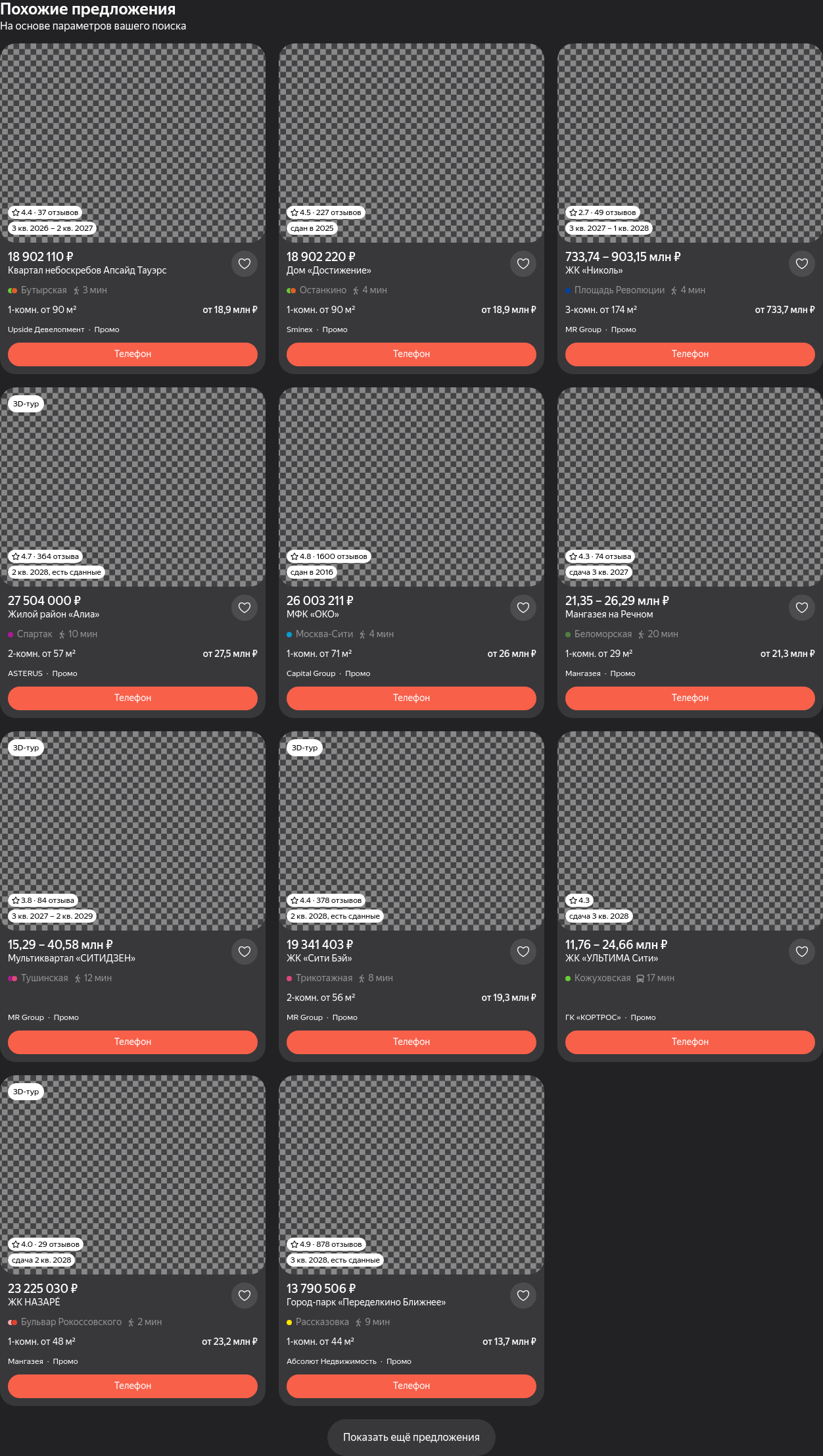
The new assertView command features disableHover option that suppresses hover effects during screenshot capture.
By default, it turns on automatically when scrolling is needed to capture element in full.
Note: rectangles on Testplane v8 screenshot highlight areas where hover effects can be observed, while they are not present in Testplane v9.
| Testplane v9 | Testplane v8 | Playwright |
|---|---|---|
 |  |  |
Pseudo-elements support
The new screenshot engine makes it possible to capture pseudo-elements such as ::before and ::after.
In Testplane v8, it required a custom command that first draws an imprecise rectangle around the element and then captures a screenshot of the rectangle.
With Testplane v9, assertView handles them cleanly out of the box.
| Testplane v9 | Testplane v8 | Playwright |
|---|---|---|
 |  | TypeError: The "data" argument must be of type string or an instance of Buffer, TypedArray, or DataView. Received undefined |
Other notable improvements
Testplane 9 also adds some other enhancements that make visual testing more convenient and reliable:
- Default tolerance setting is now
3.0, up from2.3in Testplane v8. This means that by default,assertViewchecks are slightly more permissive. - Support for iOS 26+ simulators with the new Safari layout
- The
cropMarginsoption to crop screenshots, useful for exotic environments, where scrollbars cannot be hidden and better be cropped out - Enhanced debugging experience for screenshots, including detailed log and step-by-step screenshots
Async config and lifecycle hooks
Testplane configuration can now be asynchronous. This makes config files easier to connect to real project setup: load secrets, query external services, prepare temporary test data, or compute browser settings before the run starts.
import type { ConfigInput } from "testplane";

export default async (): Promise<ConfigInput> => {
    const baseUrl = await getPreviewUrl();

    return {
        baseUrl,
        browsers: {
            chrome: {
                desiredCapabilities: { browserName: "chrome" },
            },
        },
    };
};
prepareEnvironment can be async as well:
import type { ConfigInput } from "testplane";

const config: ConfigInput = {
    prepareEnvironment: async () => {
        process.env.AUTH_TOKEN = await createTestToken();
    },

    browsers: {
        chrome: {
            desiredCapabilities: { browserName: "chrome" },
        },
    },
};

export default config;
Some lifecycle events can now wait for asynchronous handlers too, including CLI and NEW_BROWSER.
const fs = require("node:fs/promises");

module.exports = testplane => {
    testplane.on(testplane.events.CLI, async cli => {
        const environments = JSON.parse(await fs.readFile("./test-envs.json", "utf8"));

        cli.option("--env <name>", `Environment: ${environments.join(", ")}`);
    });
};
Cleaner Test API without globals
Testplane tests have historically relied on globals such as it, describe, beforeEach, afterEach, testplane.* and hermione.*. In Testplane 9, these helpers are exported explicitly from the package and not global by default, to avoid conflicts with other test-runners:
import { describe, it, beforeEach } from "testplane";

describe("profile", () => {
    beforeEach(async ({ browser }) => {
        await browser.url("/profile");
    });

    it("shows user name", async ({ browser }) => {
        await expect(browser.$("[data-testid=user-name]")).toHaveText("Alice");
    });
});
However, you can still use globals without explicit imports by installing the @testplane/globals package.
Removal of "devtools" automation protocol and tweaks in browser defaults
Testplane 9 uses WebDriver as the single automation protocol. The old automationProtocol: "devtools" mode is gone, but local browser runs remain simple: gridUrl: "local" is now the default browser endpoint.
Note: you can still use CDP protocol and everything related to that — this change is purely about the automationProtocol config option that was laggy and unreliable.
End of support for Node 18 and 20
Testplane 9 requires Node 22 or newer to work (we recommend v22.12+).